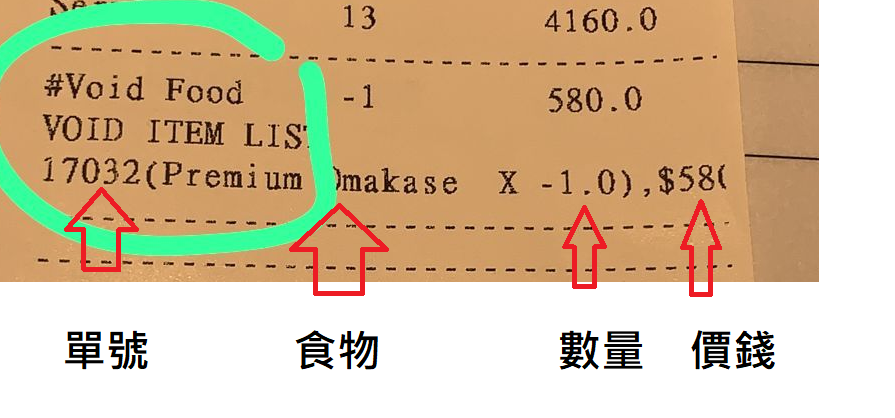
1F.Showing canceled item on daily report
🕒 最後更新:2026-04-26 20:34Q: What is the purpose of showing canceled items on the daily report
A: To check whether there is something strange, for example, canceling too many items in one day
When users have not configured this function, the daily report will not show the canceled item.
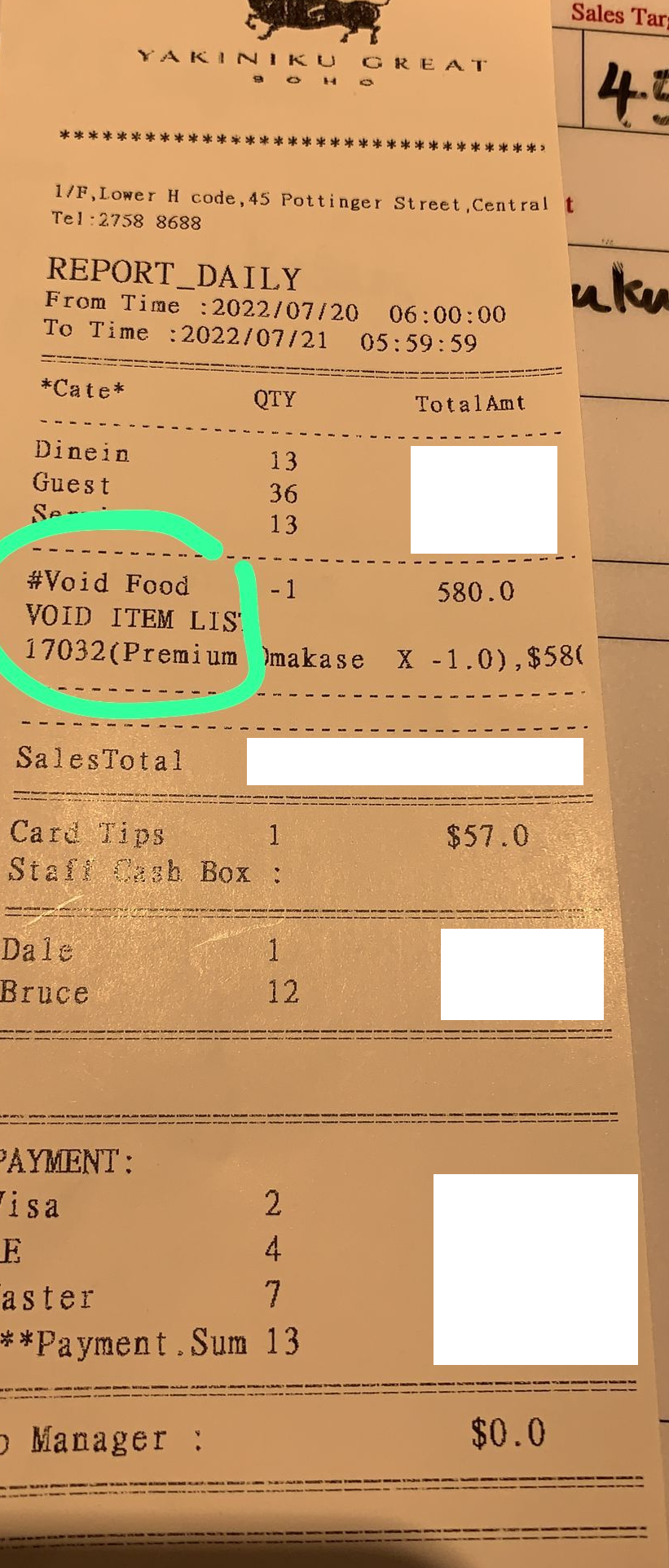
When the user wants to show the canceled item (see figure), please refer to the fellow guide .
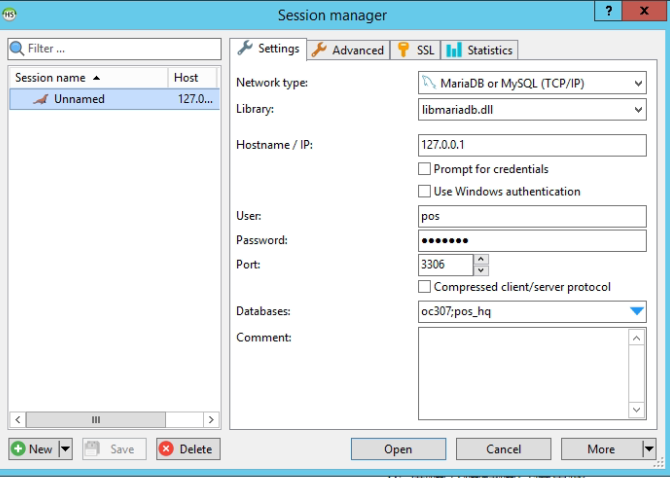
- Open HS and log in (Enter Heidi in search bar)
2. Log in
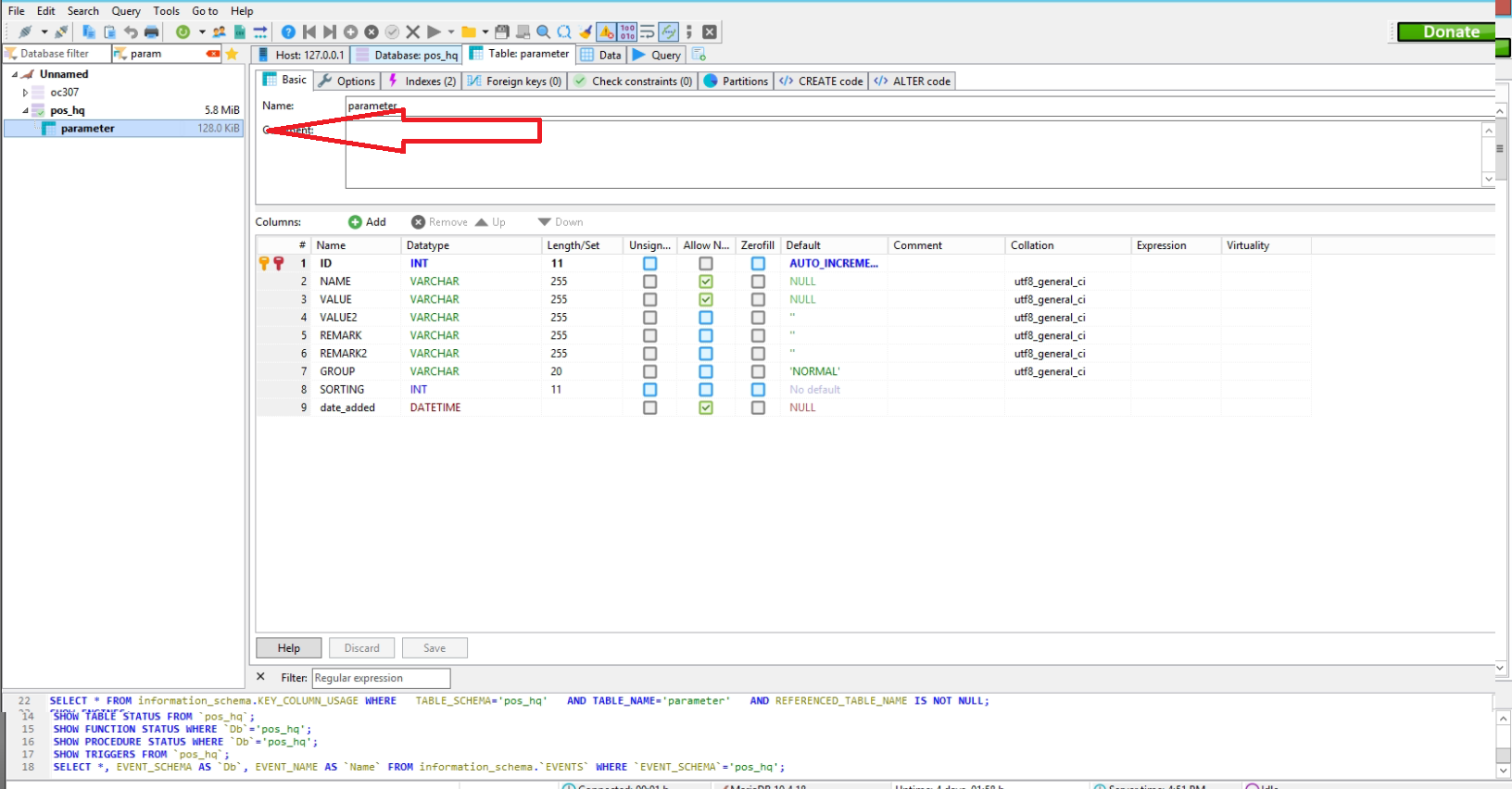
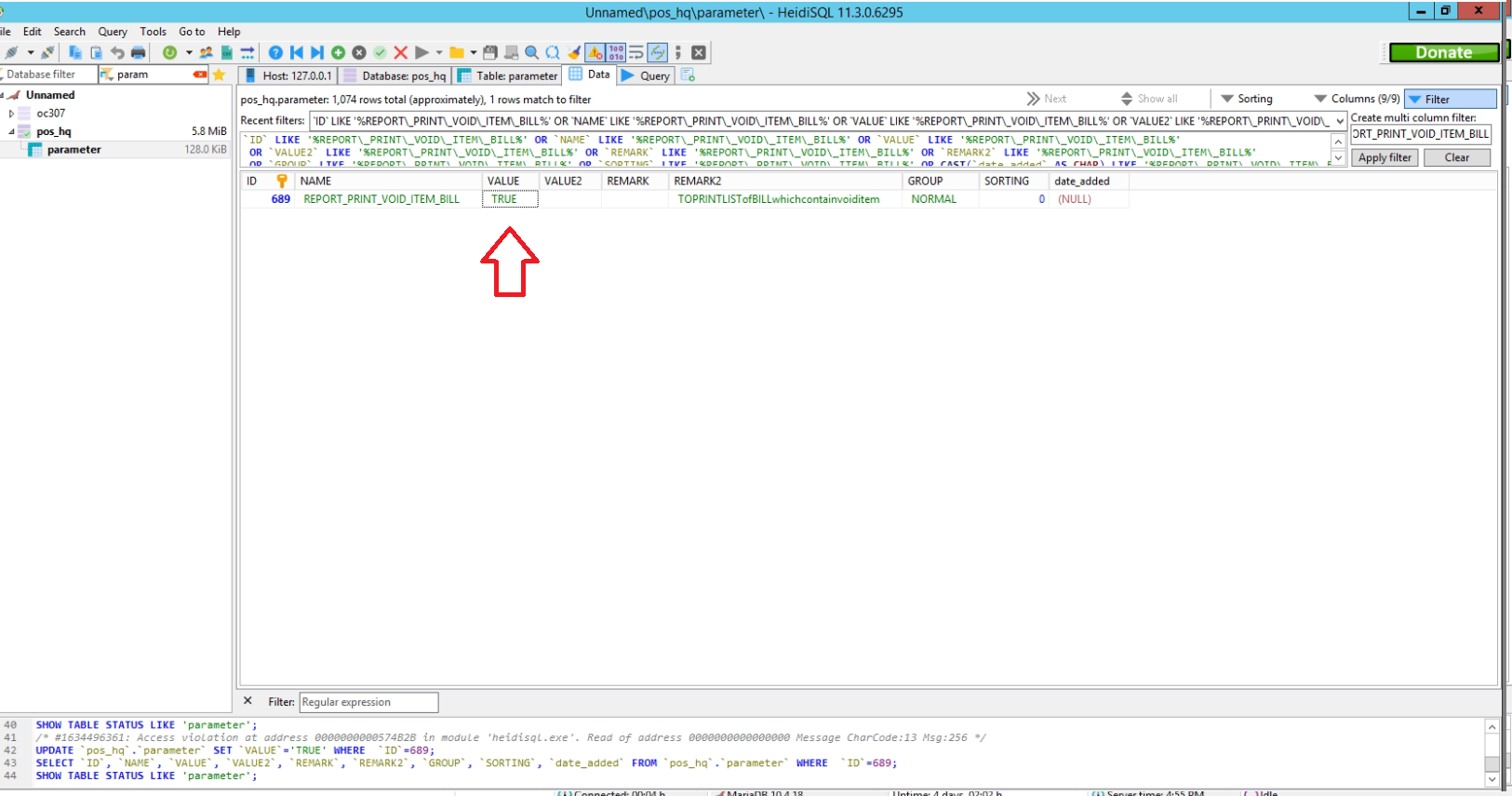
3. Enter " parameter" in arrow field
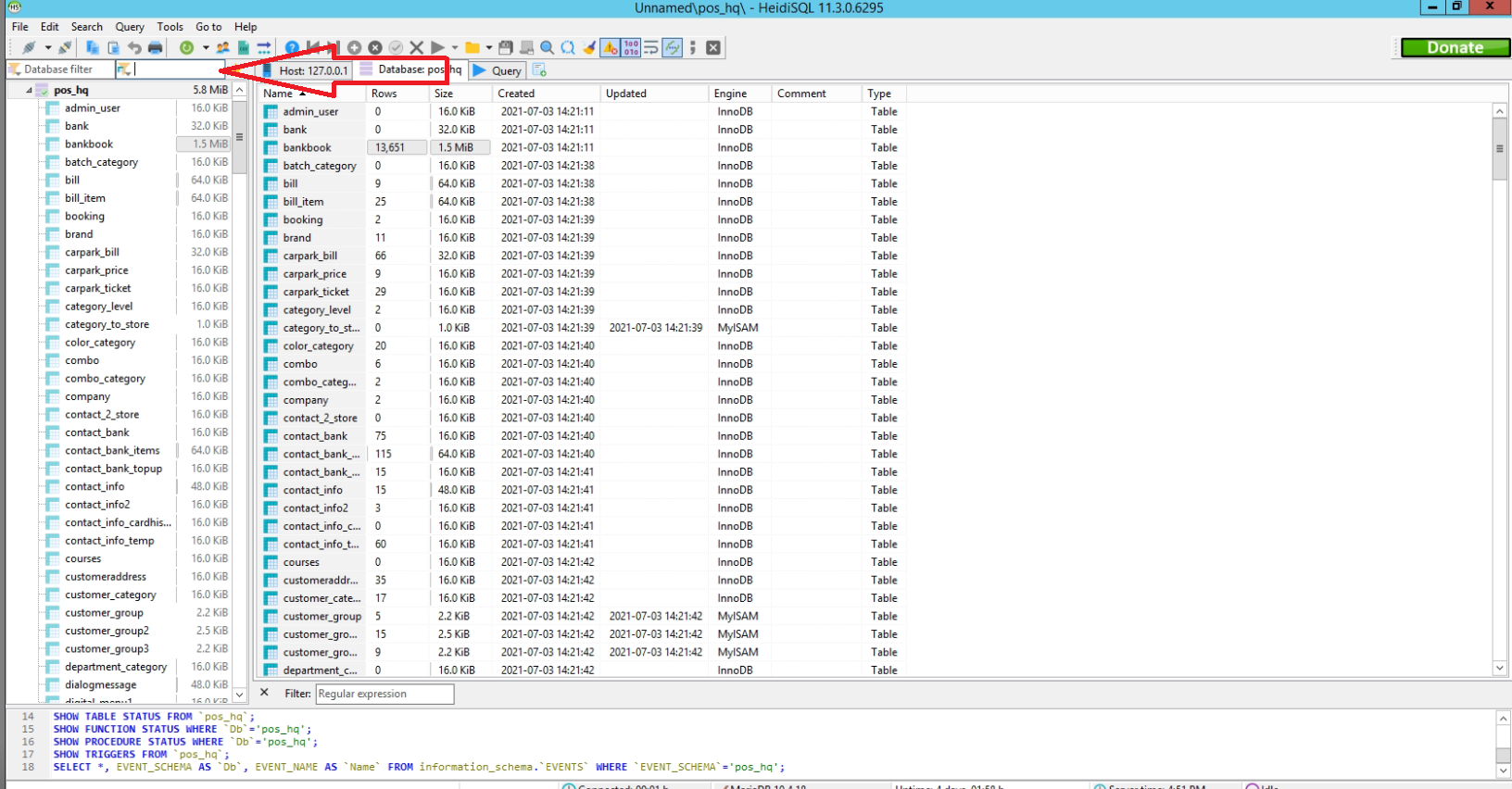
4. Click "parameter"
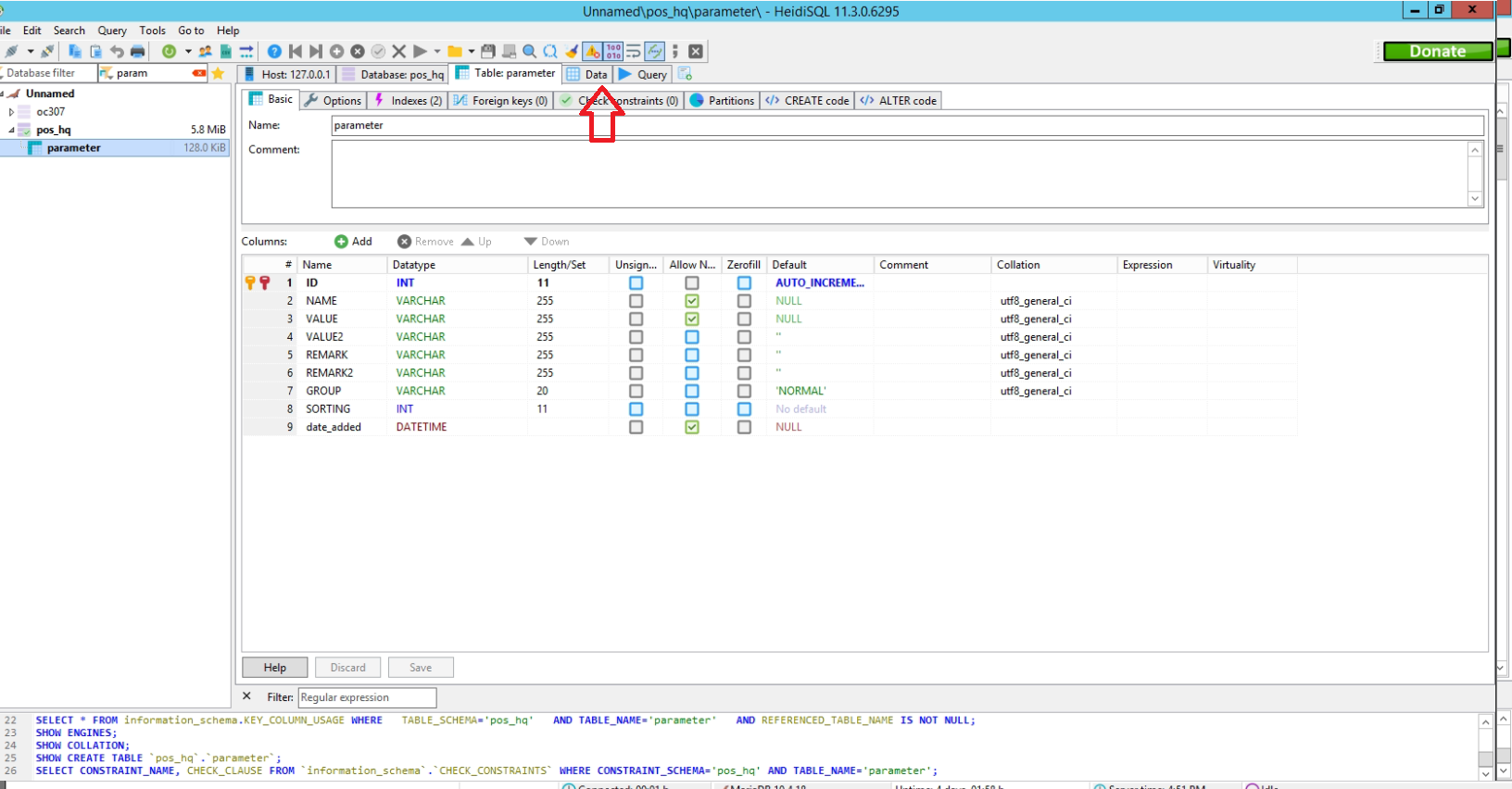
5. Click data
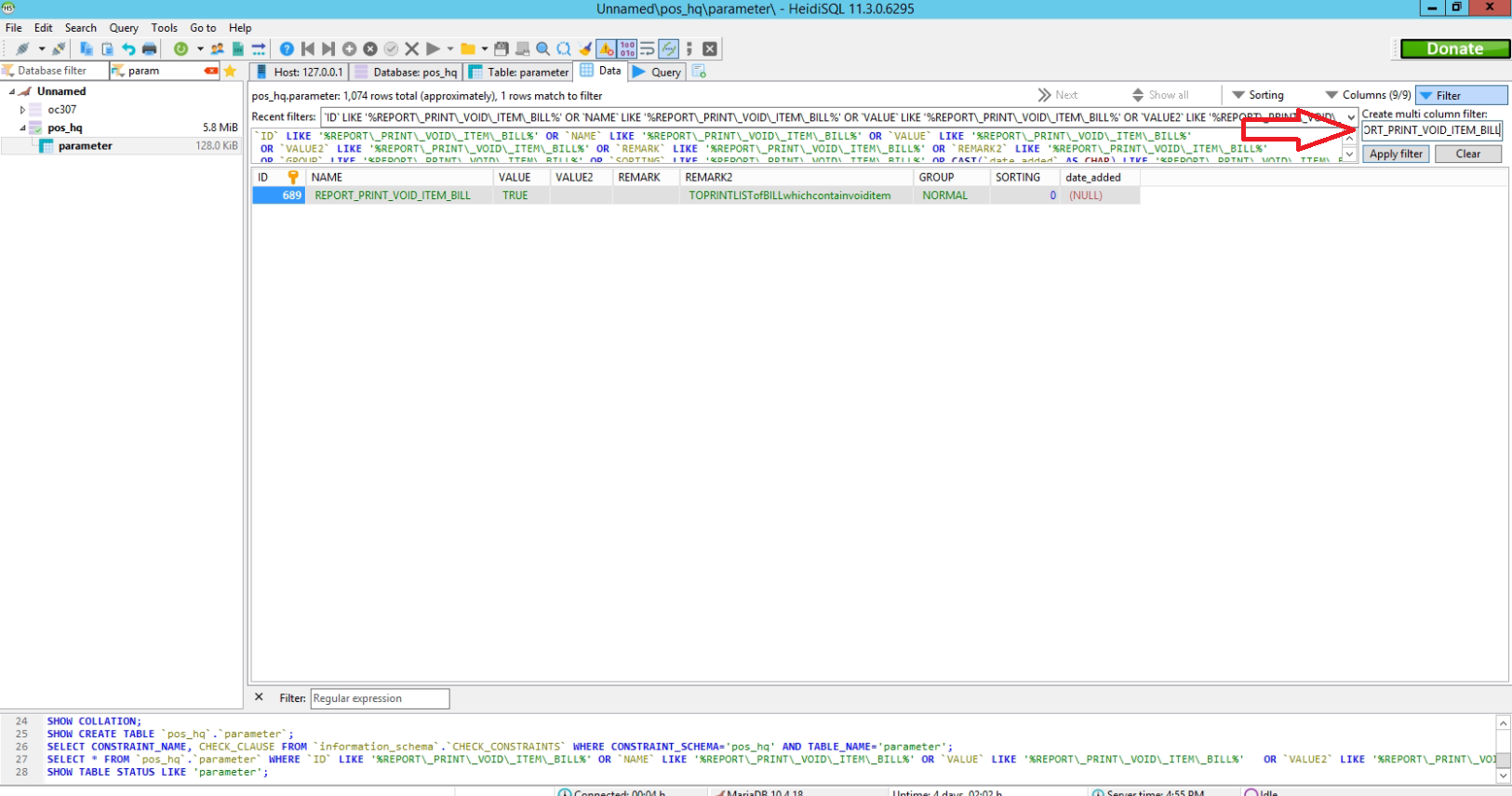
6. Enter " REPORT_PRINT_VOID_ITEM_BILL " in arrow field and click apply filter
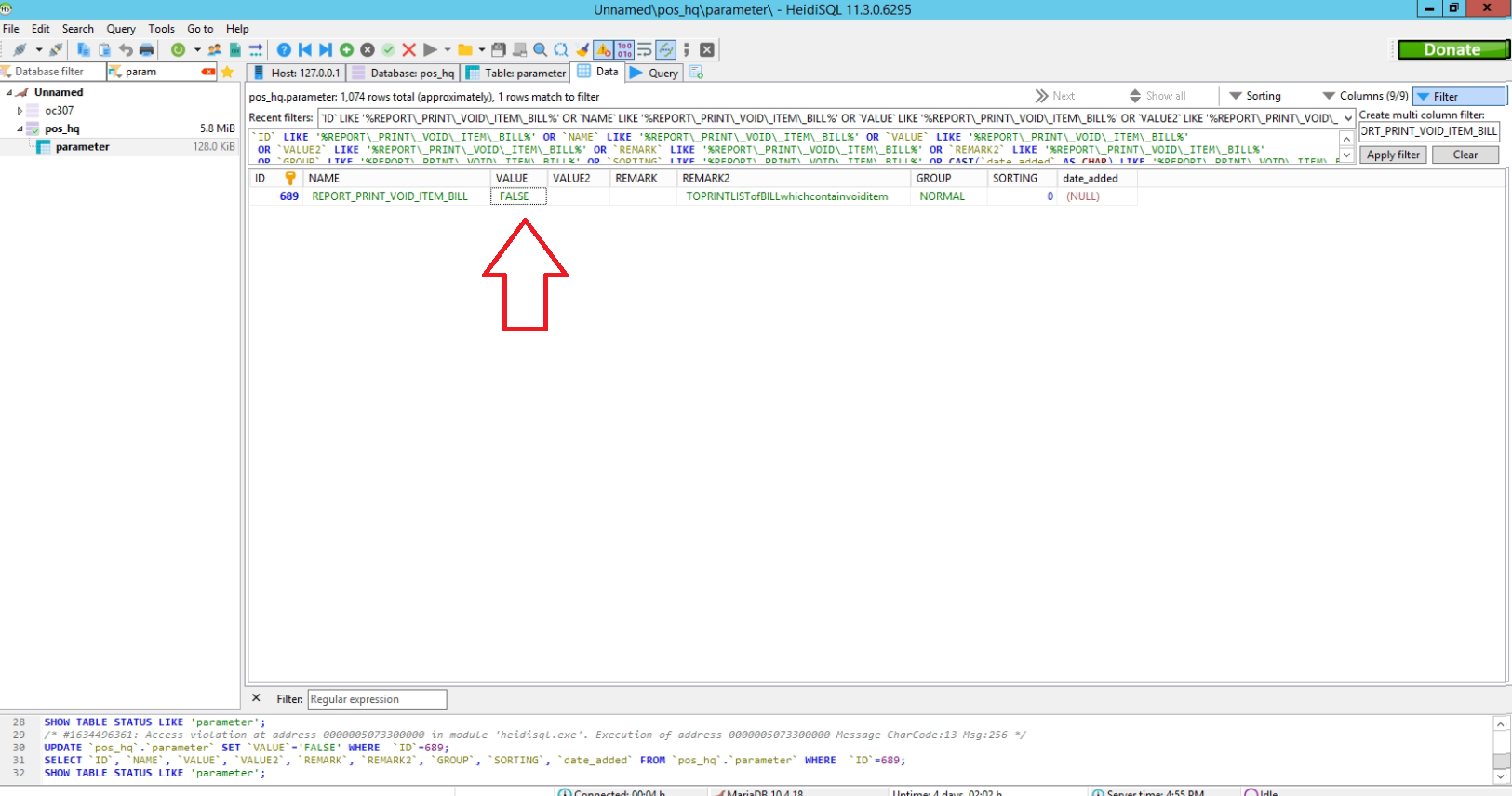
7. Click false and edit to TRUE
8. Restart POS And Print Daily Report