Stock Take
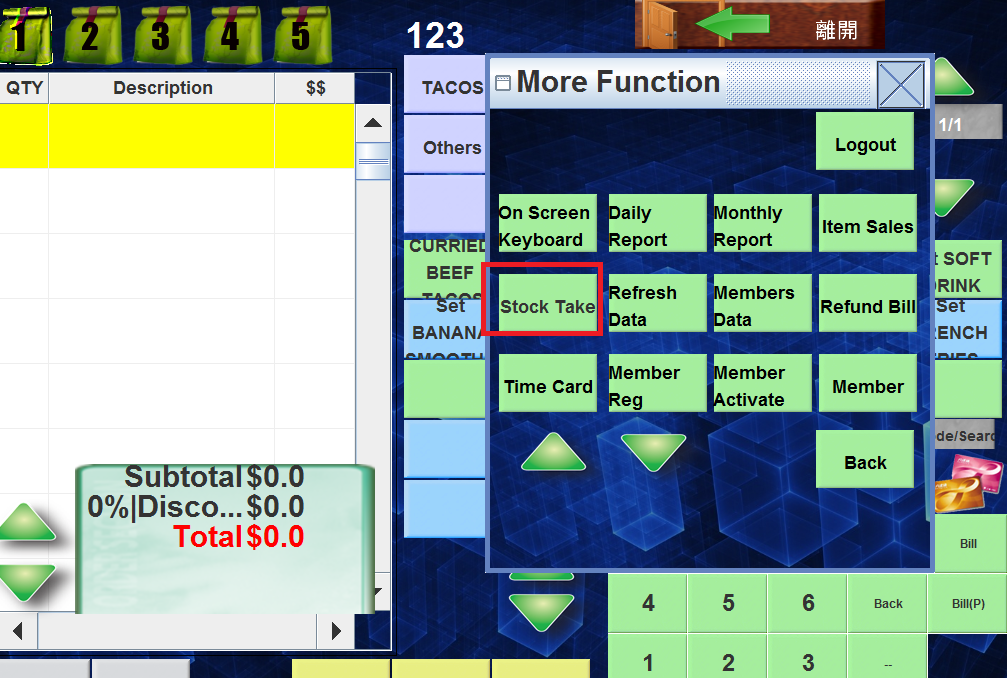
🕒 最後更新:2026-04-26 20:34Press "離開" then "More function" will be shown.
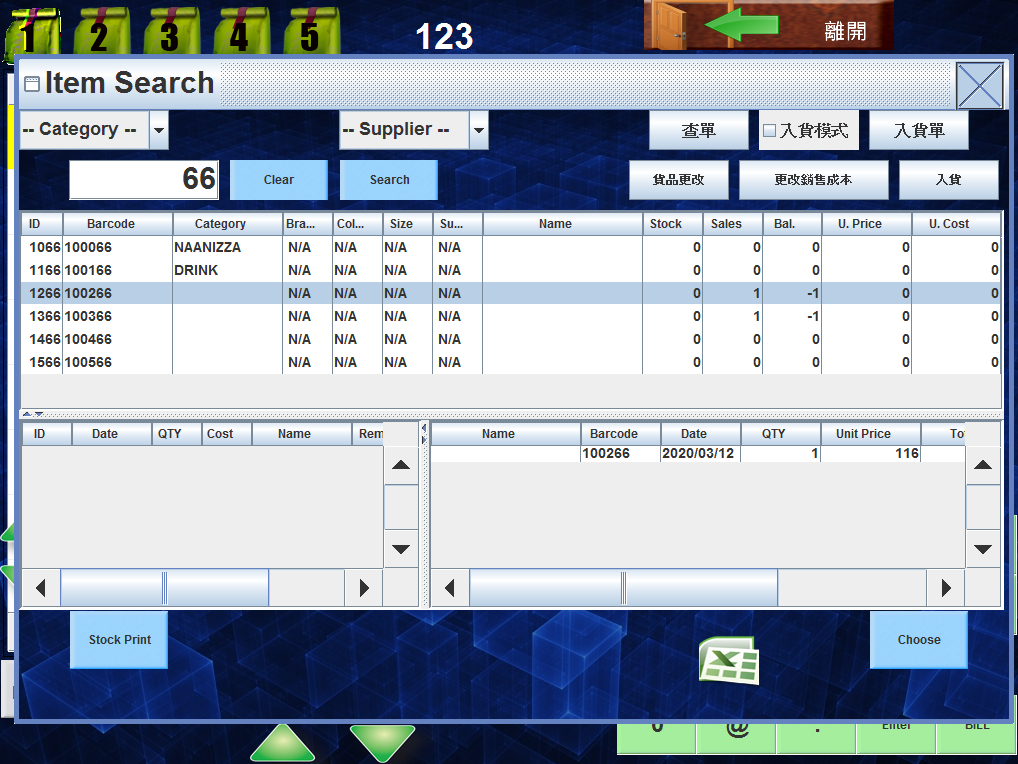
Choose Category and select the relevant product
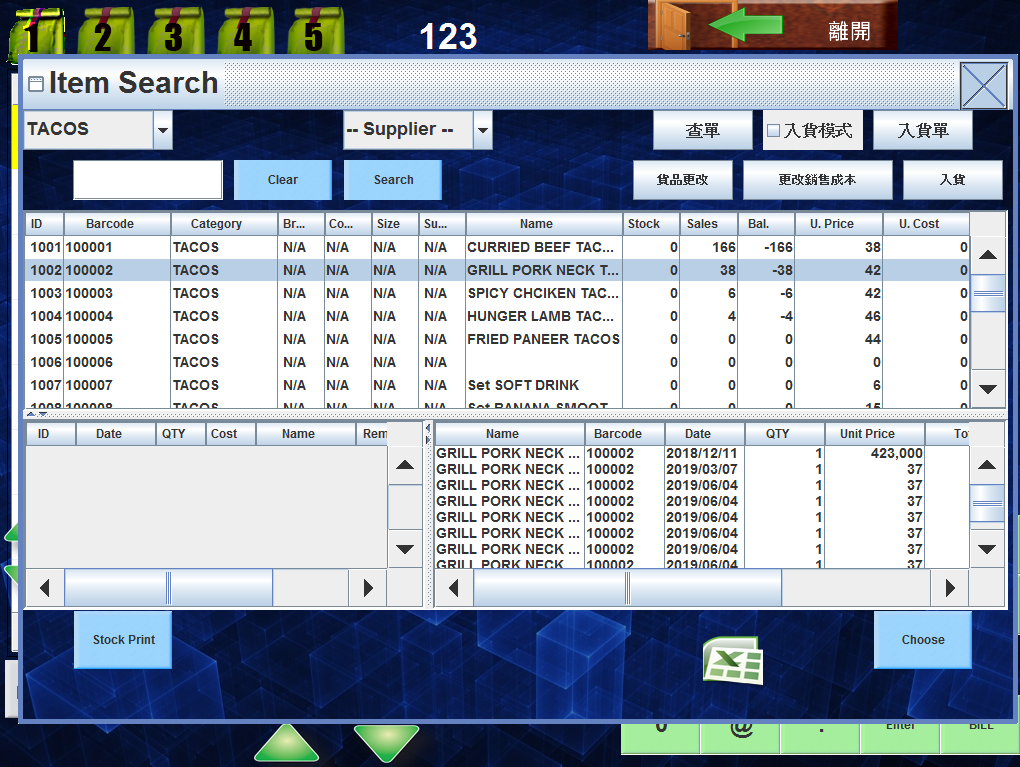
press "入貨"
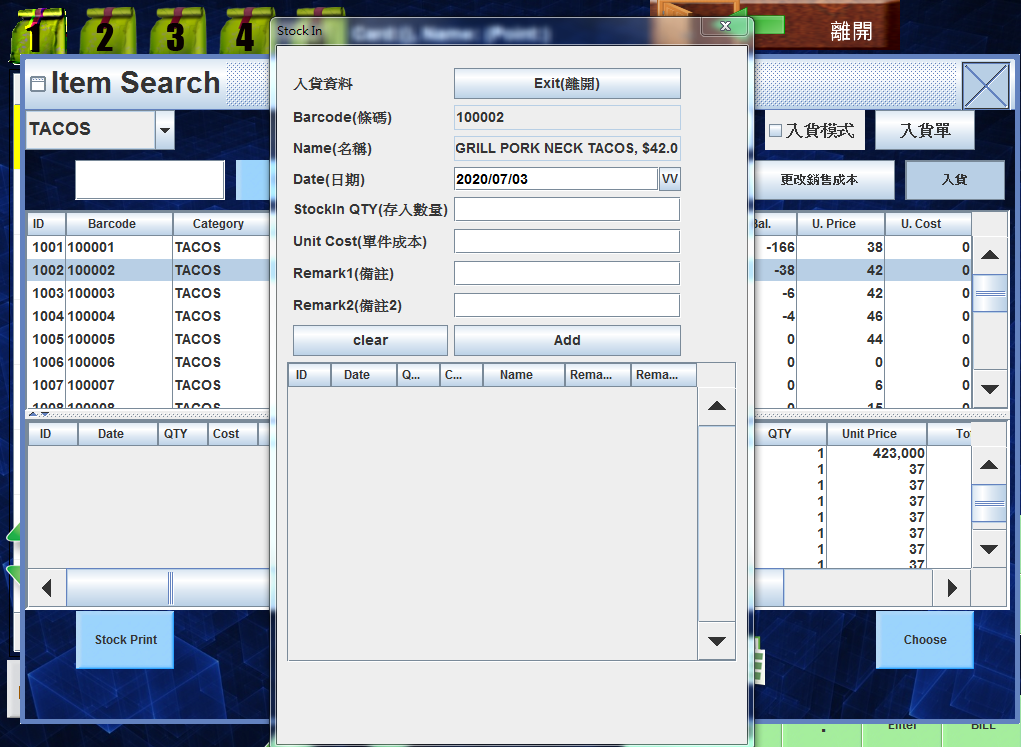
Enter the relevant data then press update
In pos system
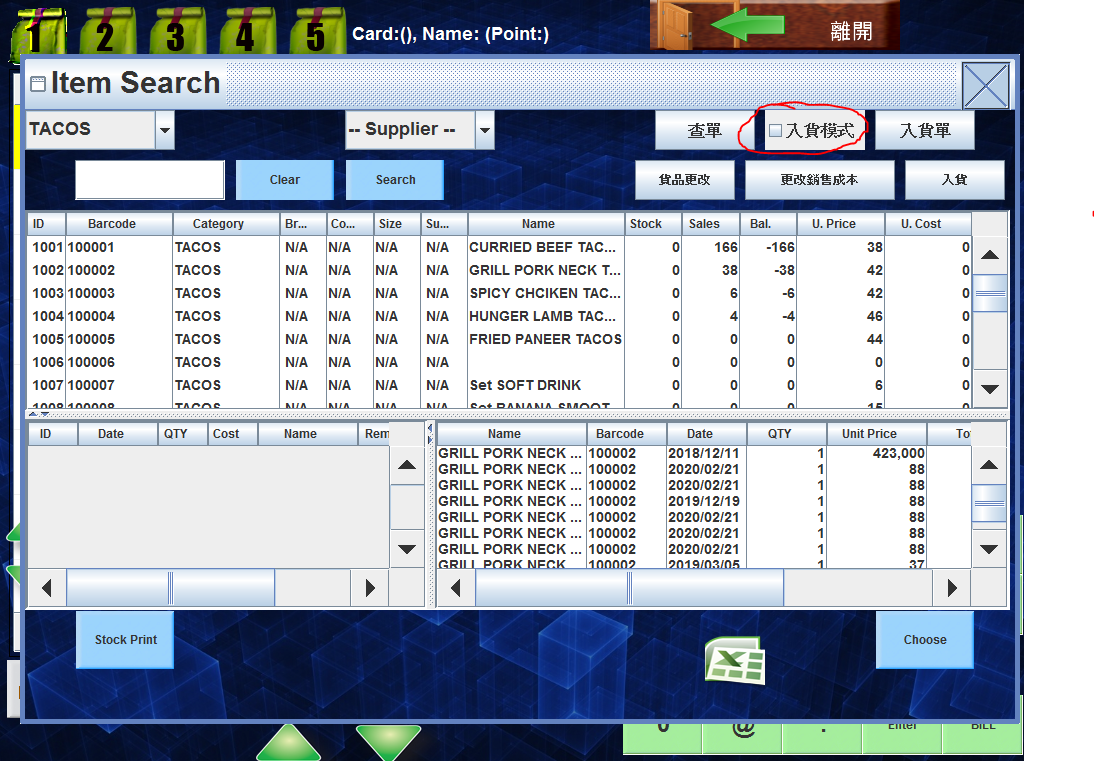
click "入貨模式" and scan the barcode or click the product,the stock in /stock out information will be shown autoly.
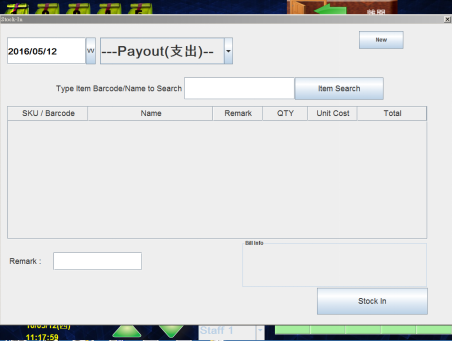
Change the product
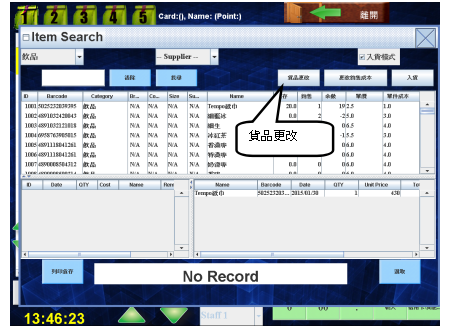
select the relevant product,press "貨品更改"
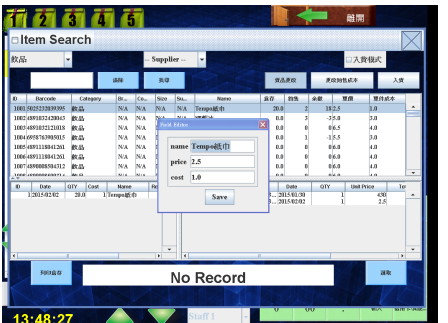
You can change the cost,price and name
Press "離開" then "More function" will be shown.
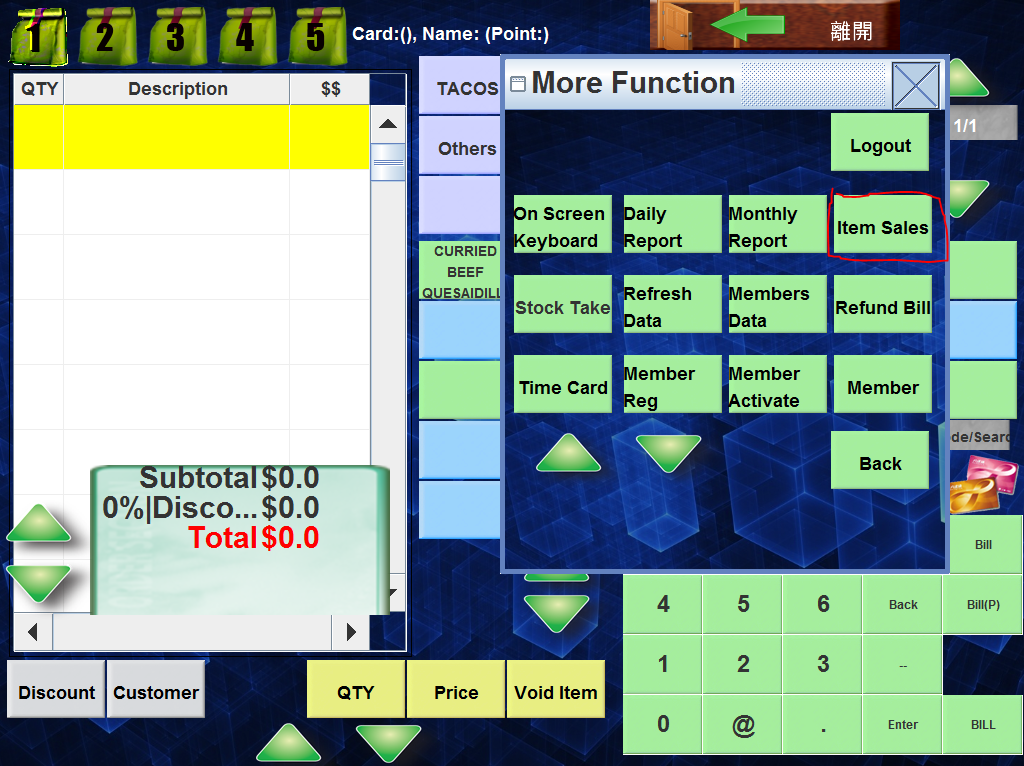
Press Item sales