2B.Change staff password/name/Job title
🕒 最後更新:2026-04-26 20:34POS system allows different staff log in using their account in order to unlock different functions in POS
There are four groups of staff in POS, including BOSS, manager, cashier, and waiter
In general, the Boss account allows all the functions, such as changing staff acount, printing daily report, payout, etc...
The manager account can change the status of bill, void bills, cancel food, change the prices etc..
For the cashier manages the money of the company, it allows open the moneybox, printing daily reports...
For the waiter, they may only open the table and order , nothing else.
And the fellow content is the guide of changing staff password/name/job title
1.First, the user may open backend(shortcut) on the window

Or click this link http://localhost/itemmaster/cms/index.php
2. After login , it will be shown like that (figure)
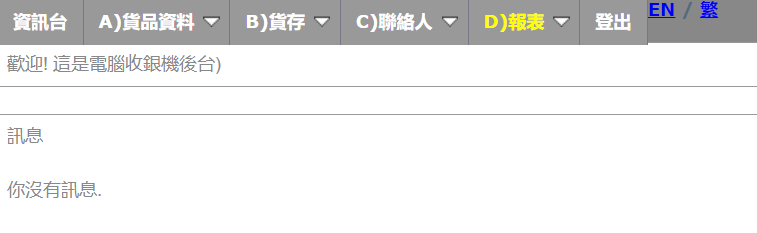
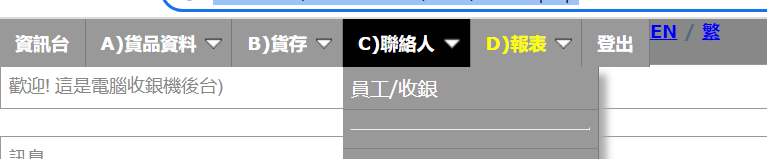
點選 C)聯絡人 --> 員工/收銀後 可進入修改員工資料頁面
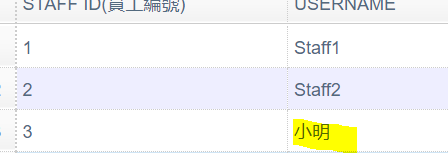
3. click the blank users want to edit
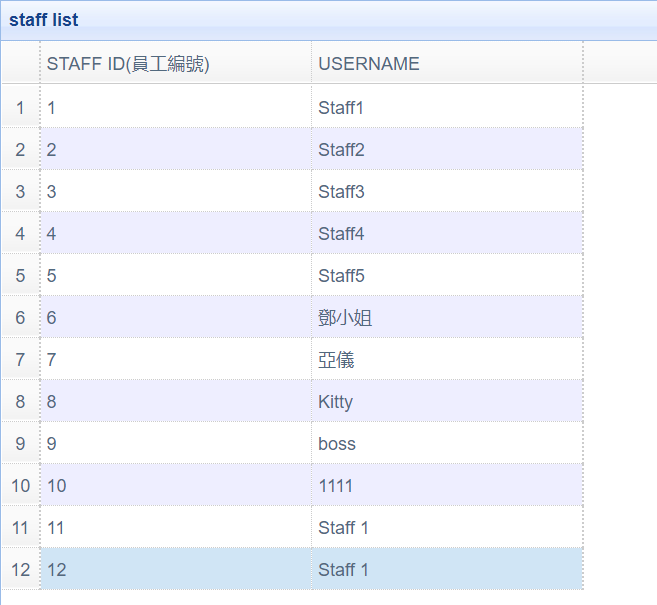
4. It(figure) will be shown after users success to click
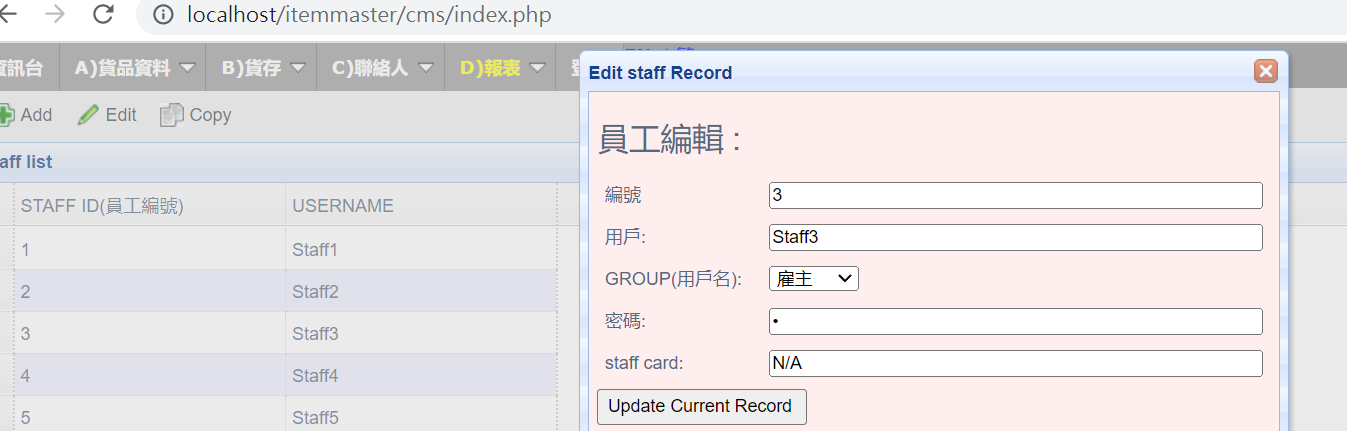
編號:不能更改
用戶:Staff Name
Group: Boss,manager,cashier,waiter
密碼: staff password
5. Press update Current Record after the editing
6. Restart POS
7. Done
如遇到困難,請向POS技術人員查詢。