4C.Clear the bill data
🕒 最後更新:2026-04-26 20:34Below is the tutorial about the clear bill data
Clear bill data means delete all the bill in pos, the purpose of it may increase the efficacy of POS
Procedure
1.Open POS

2.Enter *80001* in login page to backup the data
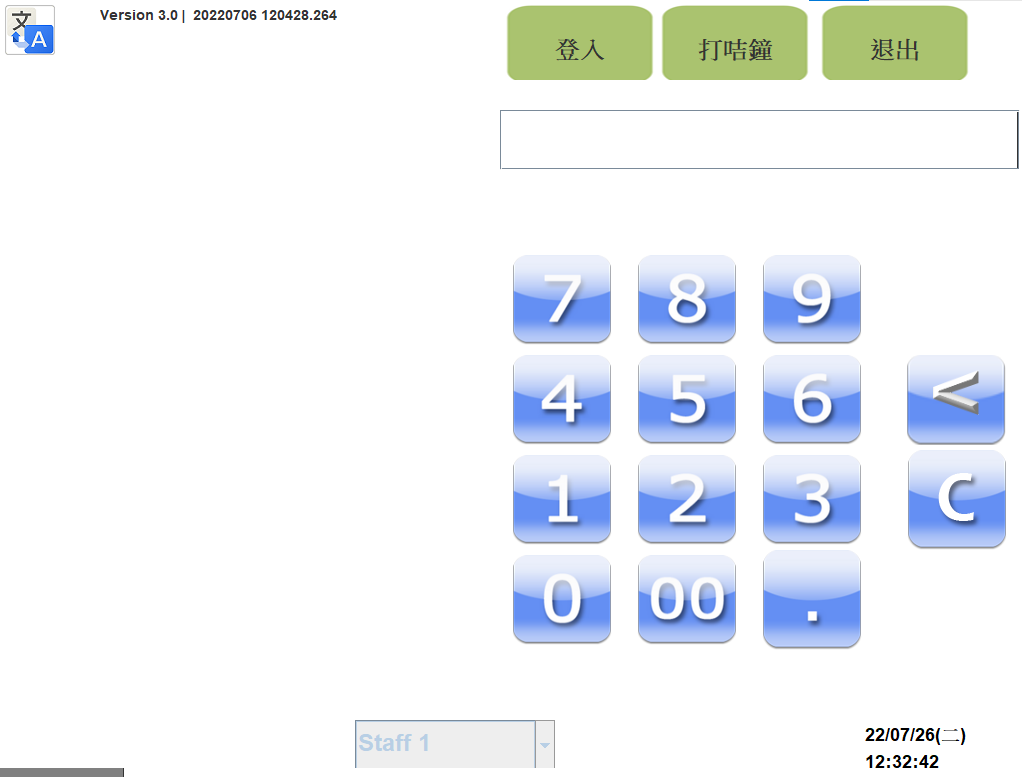
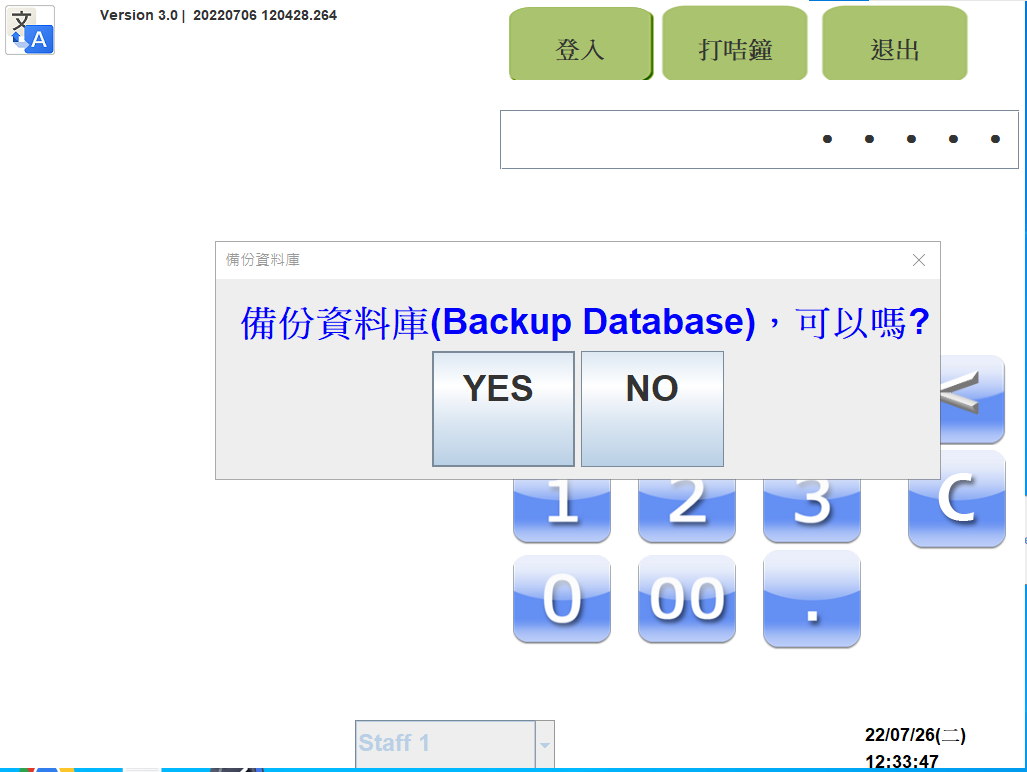
3.Press *YES*
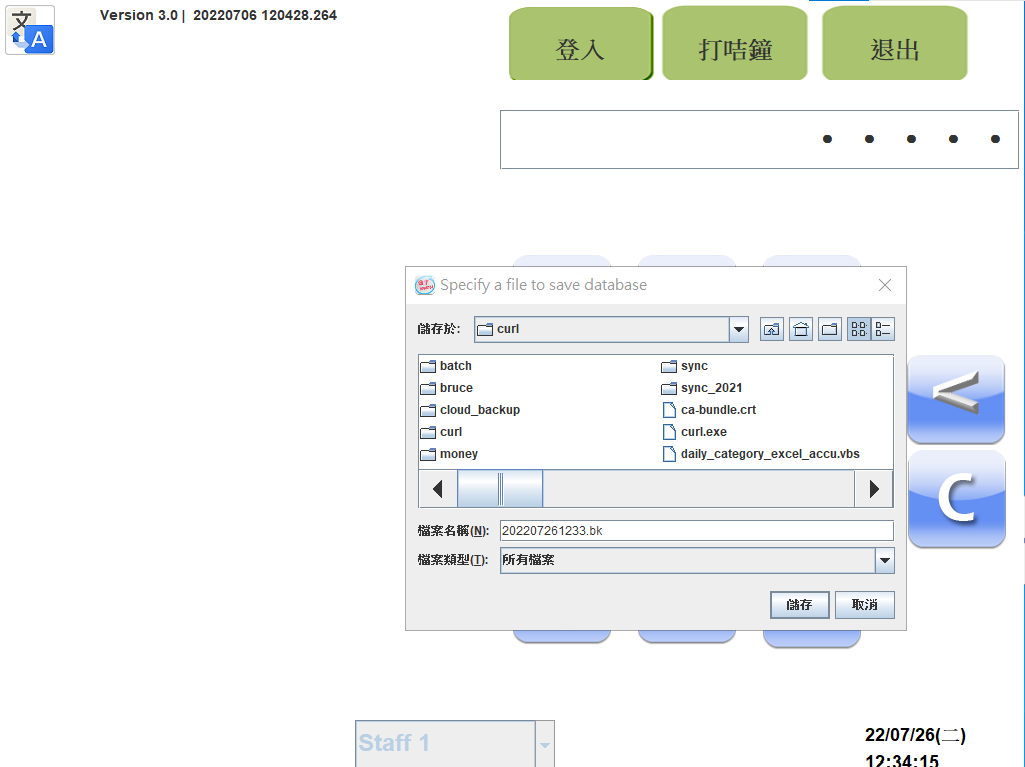
4.Choose where to save|save in (C:\curl)
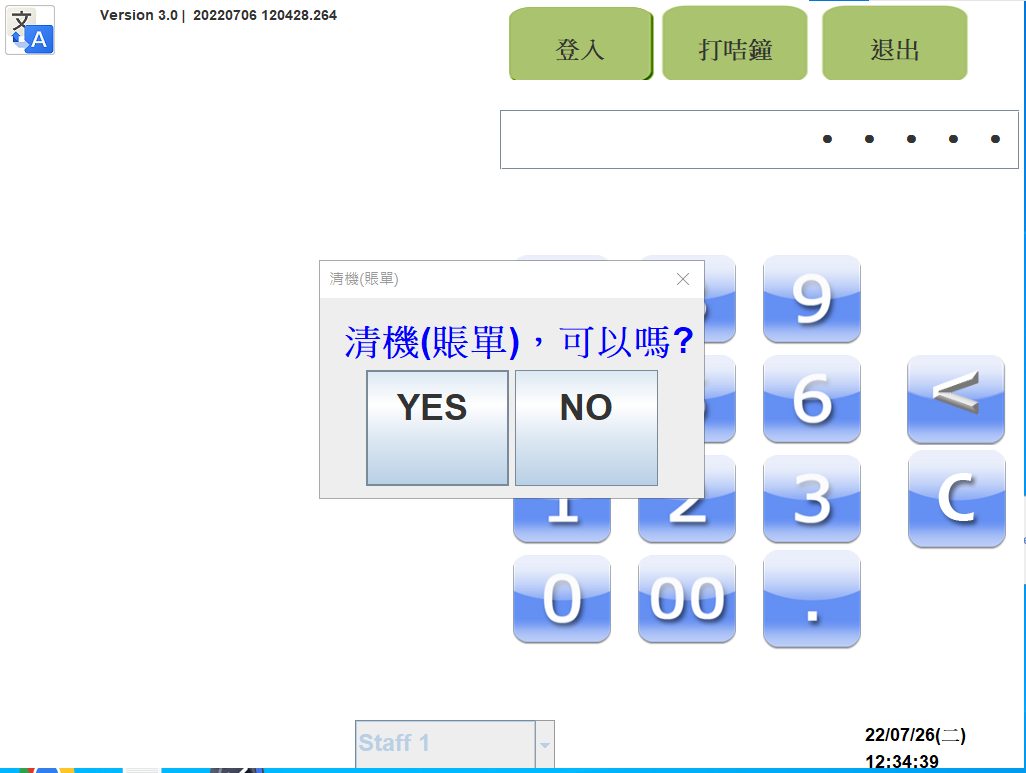
5.Start cleaning the data
Enter 80000 in login page,Press *YES*
6.Done
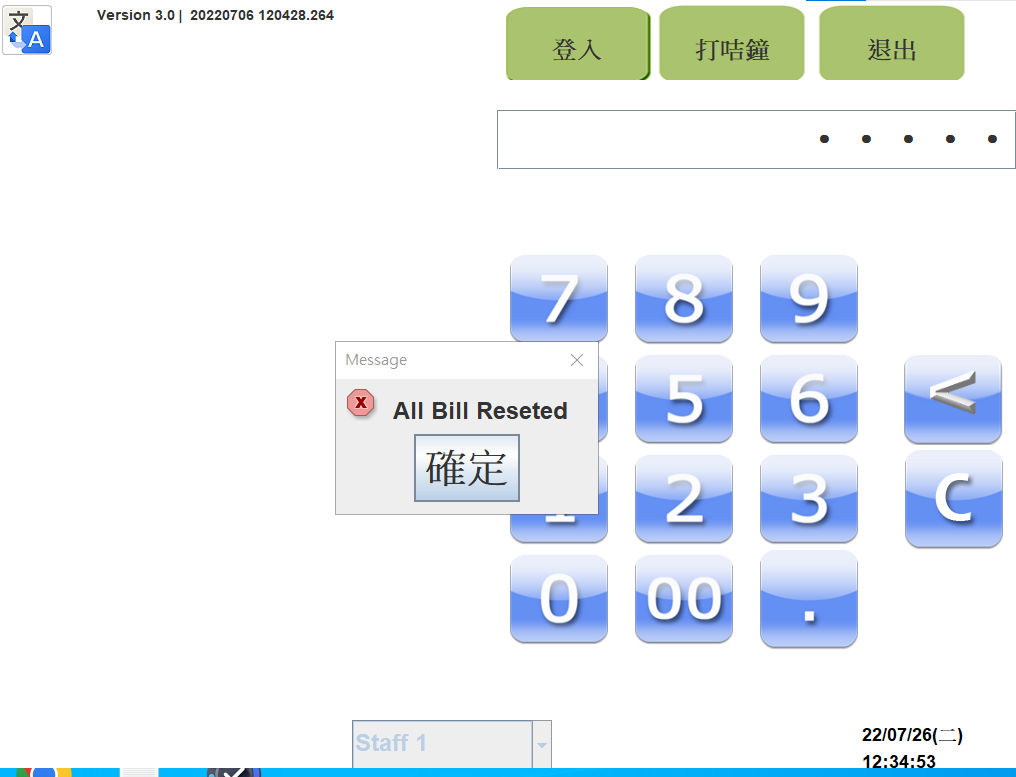
In POS Login Screen , before password
80000 --> 清機(賬單) (clean the data)
80001 --> 備份資料庫(Backup Database)
80002 --> 載入資料庫(Restore Database)
99999 --> Exit Program
99998 —> All Tables and staffs are released
888880 -> Config
888887 -> Config Database