Solution of item stocked wrong
🕒 最後更新:2026-04-26 20:34Enter the pos system and press "離開"
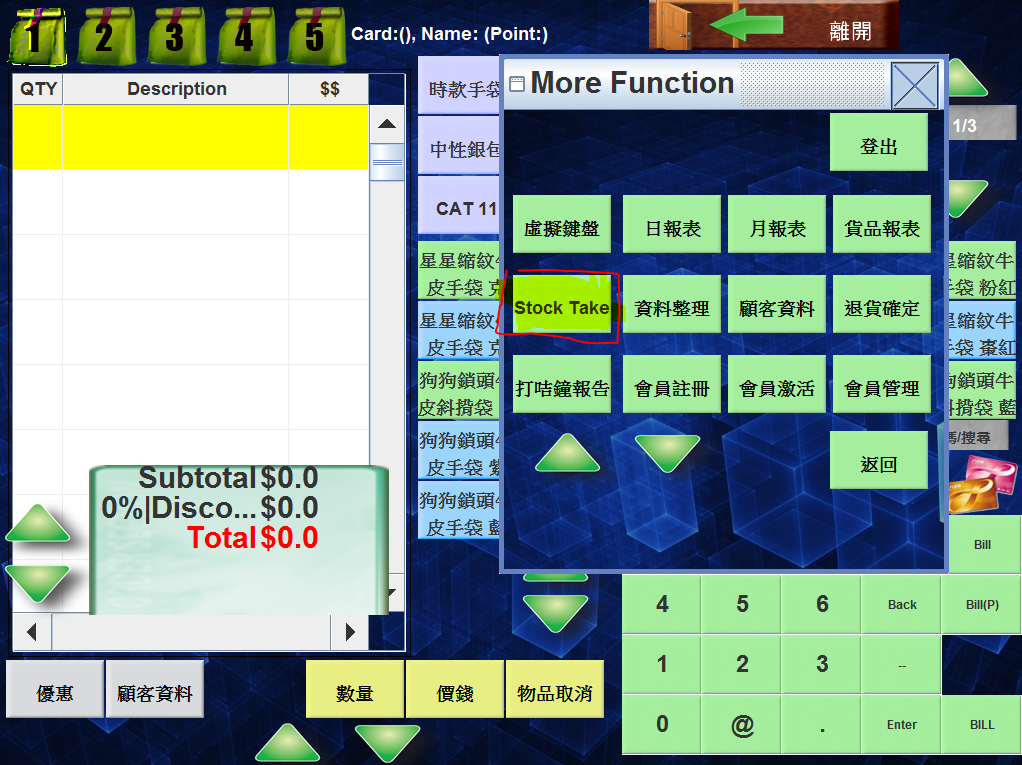
Select Stock Take and this view will be shown
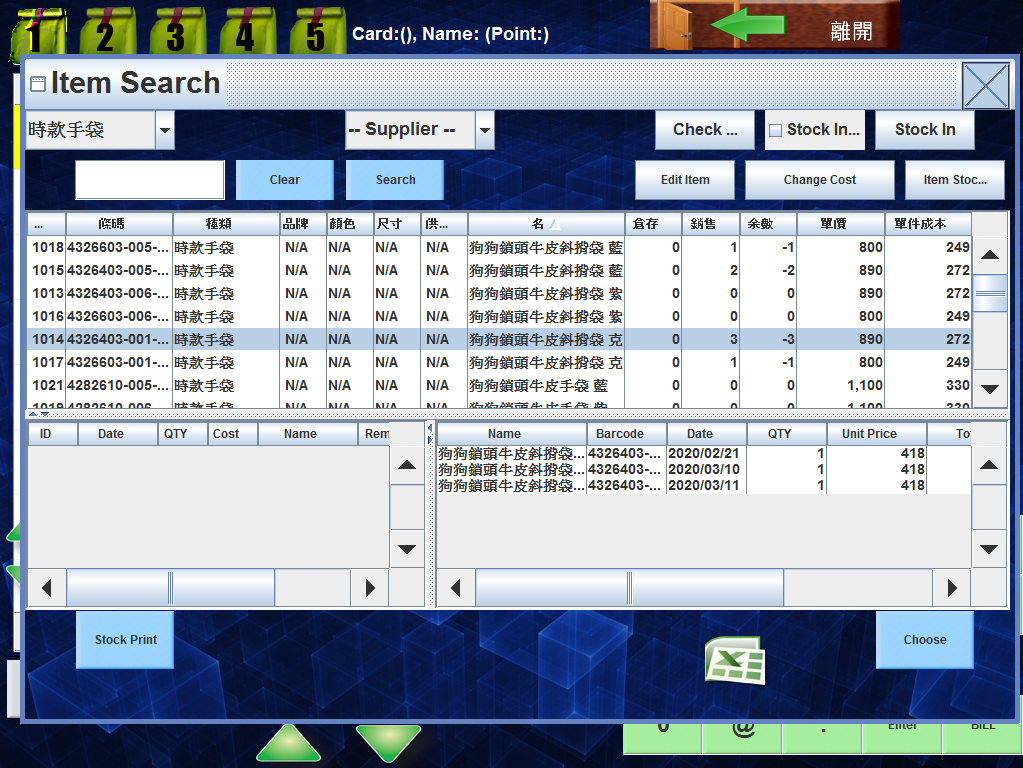
Select the item you want to edit and press item stock/入貨
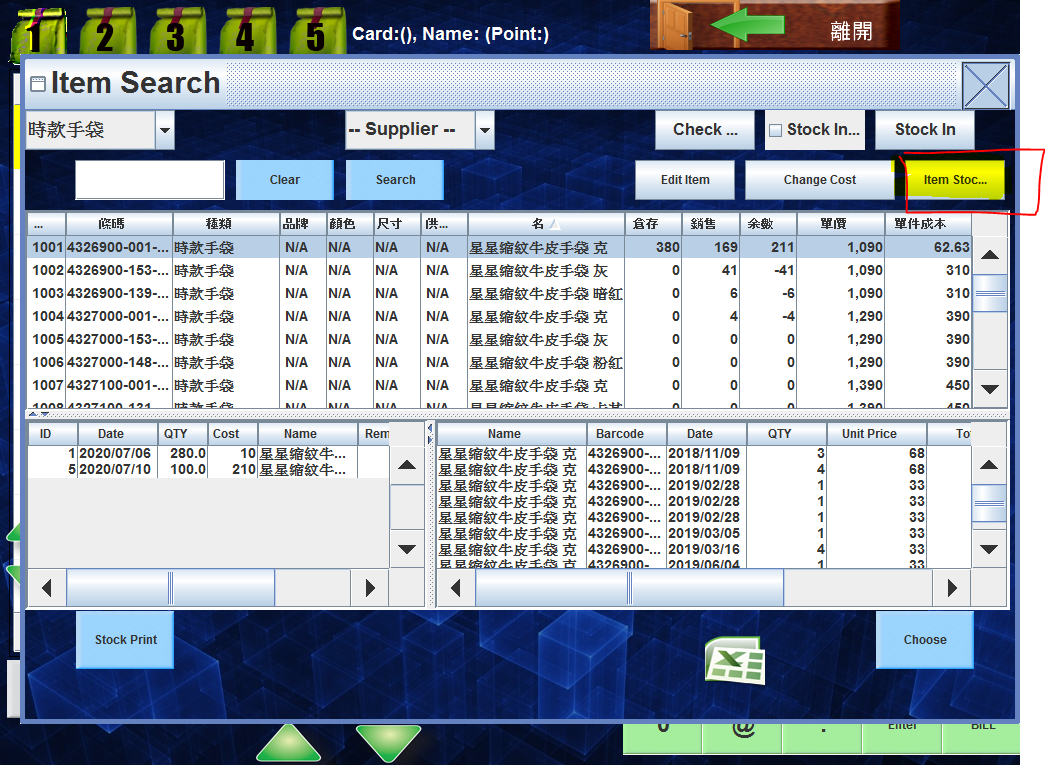
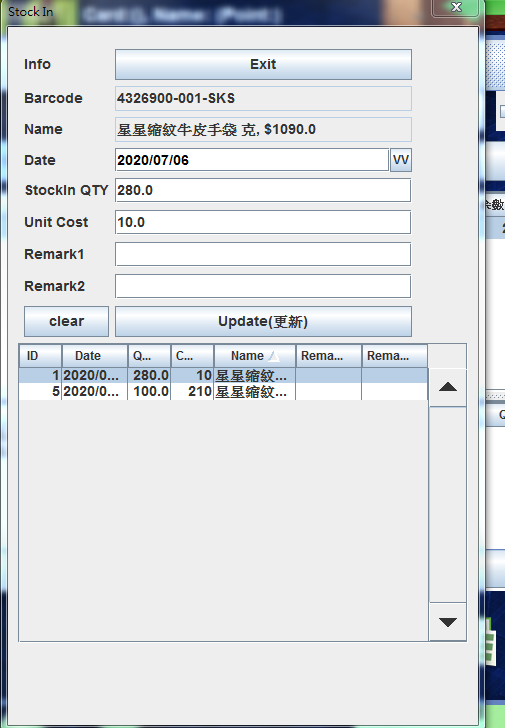
Select the product you want to edit, these 2 pictures is the same product name but diffenent stocked data
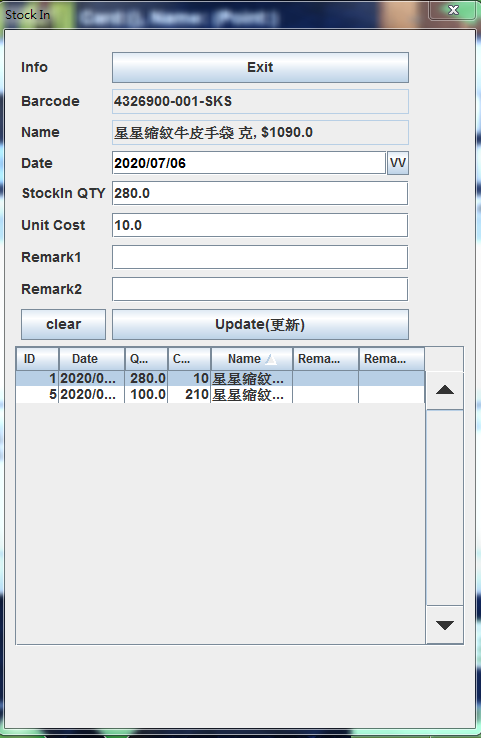
Change the information ( cost or number )
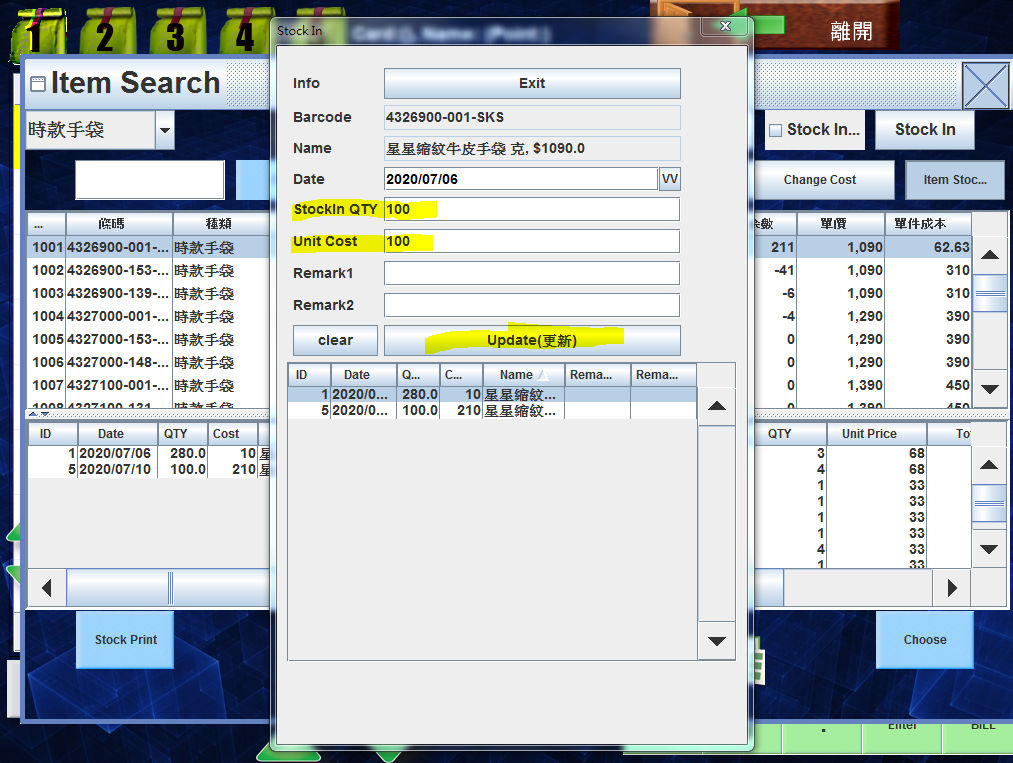
Press update after you updated